


Page 151 - HTML5
P. 151
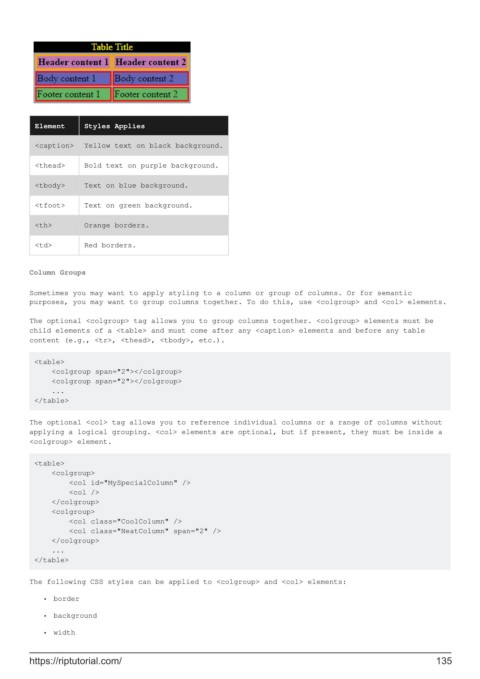
Element     Styles Applies

          <caption>   Yellow text on black background.

          <thead>     Bold text on purple background.

          <tbody>     Text on blue background.

          <tfoot>     Text on green background.

          <th>        Orange borders.

          <td>        Red borders.


        Column Groups

        Sometimes you may want to apply styling to a column or group of columns. Or for semantic
        purposes, you may want to group columns together. To do this, use <colgroup> and <col> elements.

        The optional <colgroup> tag allows you to group columns together. <colgroup> elements must be
        child elements of a <table> and must come after any <caption> elements and before any table
        content (e.g., <tr>, <thead>, <tbody>, etc.).


         <table>
             <colgroup span="2"></colgroup>
             <colgroup span="2"></colgroup>
             ...
         </table>

        The optional <col> tag allows you to reference individual columns or a range of columns without
        applying a logical grouping. <col> elements are optional, but if present, they must be inside a
        <colgroup> element.

         <table>
             <colgroup>
                 <col id="MySpecialColumn" />
                 <col />
             </colgroup>
             <colgroup>
                 <col class="CoolColumn" />
                 <col class="NeatColumn" span="2" />
             </colgroup>
             ...
         </table>


        The following CSS styles can be applied to <colgroup> and <col> elements:
            •  border

            •  background

            •  width


        https://riptutorial.com/                                                                             135

