


Page 149 - HTML5
P. 149
<tr>
             <td>Row 1 Data Column 1</td>
             <td>Row 1 Data Column 2</td>
           </tr>
           <tr>
             <td>Row 2 Data Column 1</td>
             <td>Row 2 Data Column 2</td>
           </tr>
         </table>


        This will render a <table> consisting of three total rows (<tr>): one row of header cells (<th>)
        and two rows of content cells (<td>). <th> elements are tabular headers and <td> elements are
        tabular data. You can put whatever you want inside a <td> or <th>.

          Heading 1/Column 1     Heading 2/Column 2


          Row 1 Data Column 1    Row 1 Data Column 2

          Row 2 Data Column 1    Row 2 Data Column 2


        Spanning columns or rows

        Table cells can span multiple columns or rows using the colspan and rowspan attributes. These
        attributes can be applied to <th> and <td> elements.


         <table>
             <tr>
                 <td>row 1 col 1</td>
                 <td>row 1 col 2</td>
                 <td>row 1 col 3</td>
             </tr>
             <tr>
                 <td colspan="3">This second row spans all three columns</td>
             </tr>
             <tr>
                 <td rowspan="2">This cell spans two rows</td>
                 <td>row 3 col 2</td>
                 <td>row 3 col 3</td>
             </tr>
             <tr>
                 <td>row 4 col 2</td>
                 <td>row 4 col 3</td>
             </tr>

         </table>

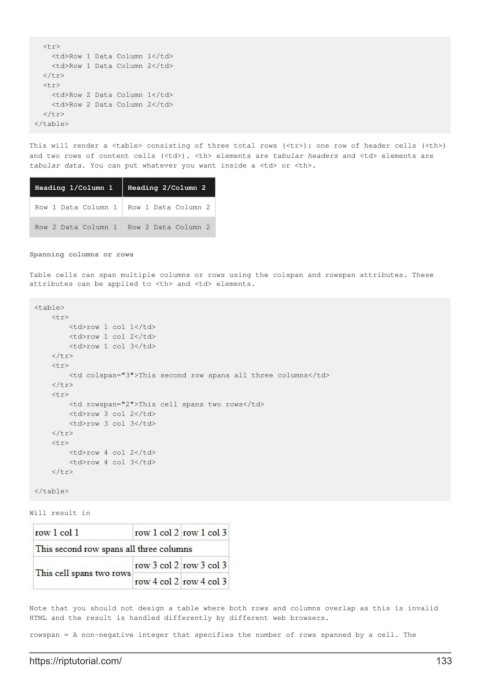
        Will result in


        Note that you should not design a table where both rows and columns overlap as this is invalid
        HTML and the result is handled differently by different web browsers.

        rowspan = A non-negative integer that specifies the number of rows spanned by a cell. The


        https://riptutorial.com/                                                                             133

