


Page 20 - HTML5
P. 20
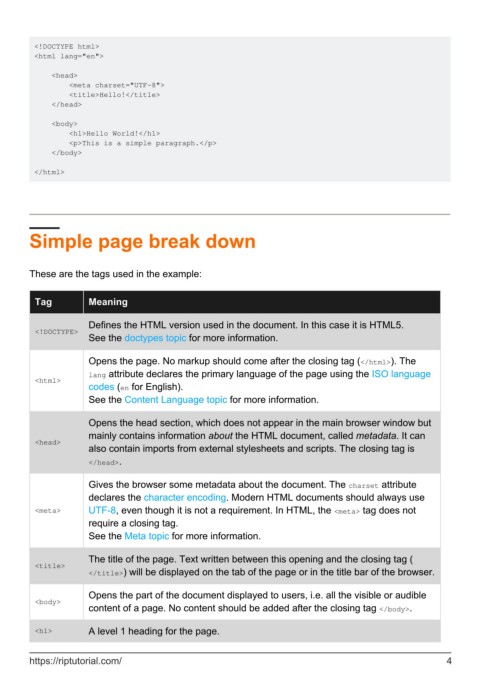
<!DOCTYPE html>
         <html lang="en">

             <head>
                 <meta charset="UTF-8">
                 <title>Hello!</title>
             </head>

             <body>
                 <h1>Hello World!</h1>
                 <p>This is a simple paragraph.</p>
             </body>

         </html>


        Simple page break down


        These are the tags used in the example:


          Tag          Meaning


                       Defines the HTML version used in the document. In this case it is HTML5.
          <!DOCTYPE>
                       See the doctypes topic for more information.

                       Opens the page. No markup should come after the closing tag (</html>). The
                       lang attribute declares the primary language of the page using the ISO language
          <html>
                       codes (en for English).
                       See the Content Language topic for more information.


                       Opens the head section, which does not appear in the main browser window but
                       mainly contains information about the HTML document, called metadata. It can
          <head>
                       also contain imports from external stylesheets and scripts. The closing tag is
                       </head>.

                       Gives the browser some metadata about the document. The charset attribute
                       declares the character encoding. Modern HTML documents should always use

          <meta>       UTF-8, even though it is not a requirement. In HTML, the <meta> tag does not
                       require a closing tag.
                       See the Meta topic for more information.


                       The title of the page. Text written between this opening and the closing tag (
          <title>
                       </title>) will be displayed on the tab of the page or in the title bar of the browser.


                       Opens the part of the document displayed to users, i.e. all the visible or audible
          <body>
                       content of a page. No content should be added after the closing tag </body>.

          <h1>         A level 1 heading for the page.


        https://riptutorial.com/                                                                                4

